


Price List & Menu Maker
4.7103.00 Reviews
App Specs
- Version
- 5.4.7
- Updated On
- License
- Free
- Downloads
- 500,000+
- Developer
- Desygner Pty Ltd
- Categories
- Food & Drink
- Platform
- Android, iOS
Screenshots
 Analysis by AppCompare
For a small café, home bakery, market stall, or independent service business, a menu or price list is one of those things that needs to look considered without taking over the day. I find Price List & Menu Maker most appealing when I need a presentable design quickly and don’t want to start from a blank canvas. It is a free Food & Drink app from Desygner Pty Ltd, with optional in-app purchases, and its focus is practical: make a menu or list that is ready to show customers.
Why the first week feels easy
Ever been in a situation where you need to whip up a professional-looking menu or price list, but all you have is a blank piece of paper and zero design skills? Enter Price List & Menu Maker. This app is like having your very own graphic designer tucked away in your pocket. Let me take you through my experience with it.
From the moment I downloaded the app, I was impressed by its sleek interface. It’s clean, intuitive, and doesn’t overwhelm you with options right off the bat. The app is designed to make the process as smooth as possible, guiding you gently through the setup. I remember thinking, "Finally, an app that doesn’t make me feel like I need a degree in graphic design!"
Starting from a template, not a blank page
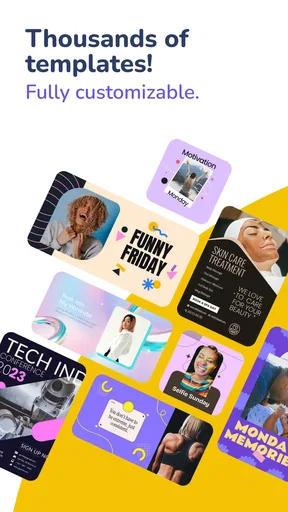
The app kicks things off by letting you choose from a wide array of templates. Whether you’re crafting a menu for a cozy café or setting up a price list for your fancy boutique, there’s something here that fits the bill. I found myself scrolling through options, admiring the variety — everything from minimalistic to vibrant designs.
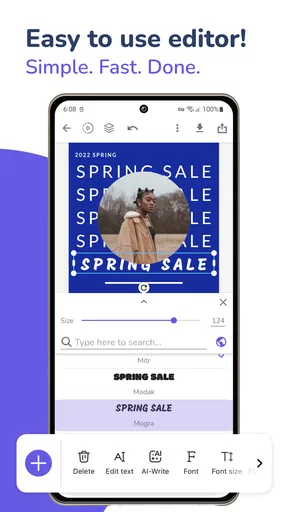
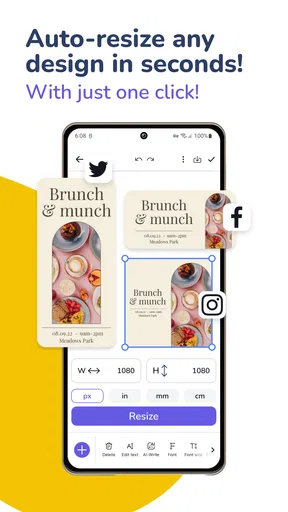
Once you pick a template, customization is a breeze. The app lets you tweak every little detail. Change colors? Check. Adjust fonts? Check. Add your logo? Absolutely. It’s like having a buffet of design choices without the overwhelming part.
That template-first approach is especially useful when the deadline is close. For example, if I had a weekend stall and realized on Friday that the prices had changed, I’d rather adapt an existing layout than build one from scratch. The key is to choose a design that already suits the amount of information you need. A crowded menu can become harder to scan if the template is decorative, while a short price list may look oddly sparse in a layout intended for many items.
Customization that serves the customer
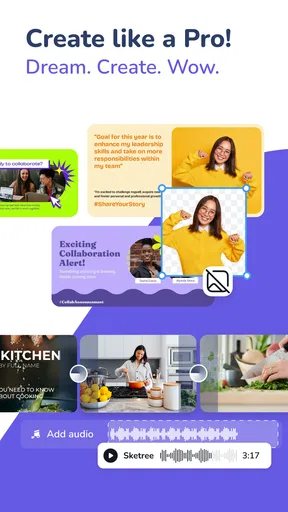
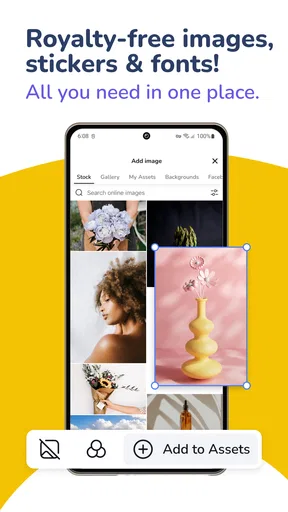
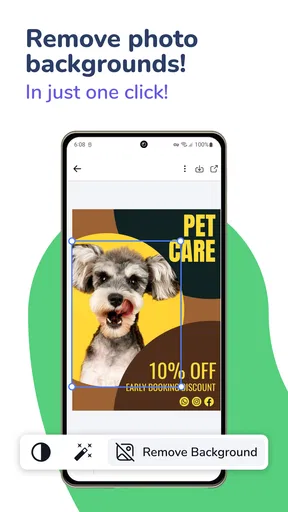
The customization process is where the app truly shines. I loved playing around with different color palettes and fonts. The app even offers some curated color combinations which, let me tell you, are a lifesaver if you’re as indecisive as I am. And don’t even get me started on the icons and images you can add. It’s the little touches that make your menu or price list pop.
Worth Reading Before You Choose

Flipboard Shows What News Apps Must Do Beyond the Feed

Switching to Android Auto Means Rethinking Your Driving Routine

Google Calendar Makes a Crowded Week Easier to Manage

Ludo King Makes the Most of the Minutes Between Plans

Baby Panda World Brings Quick Play to Modern Phones, but Its Game Library Feels Busy

ESPN’s Live Game View Makes Following Close Games Easier
For a working business, I’d treat these options as tools for clarity rather than decoration. A strong contrast between text and background matters more than a fashionable font, particularly when someone is reading a printed menu from across a counter. I’d also keep type styles consistent: one for headings and one for item details is usually easier to follow than changing the look of every section. The app makes visual experimentation approachable, but it still helps to step back and ask whether a customer can find the item and its price at a glance.
One feature I found particularly nifty was the ability to add a QR code. In today’s digital age, this is a game-changer. Imagine your customers scanning a code and instantly accessing your menu online. It’s small details like this that make the app a must-have for any business owner.
A QR code can be handy when a printed menu would otherwise need frequent replacement, but it works best as a supplement, not a substitute for readable information. I’d test the code from the printed version before putting it out, and make sure the destination is the page customers are meant to see. For a simple counter display, a QR code can save space; for a customer who wants to compare prices quickly, a clear printed list is still more convenient.
Making the result usable beyond the screen
Once you’ve perfected your design, the app makes it easy to save and share your creation. You can download your menu or price list in high-resolution formats, perfect for printing or sending digitally. I tested this out by sending a few samples to friends, and they were impressed by the professional quality.
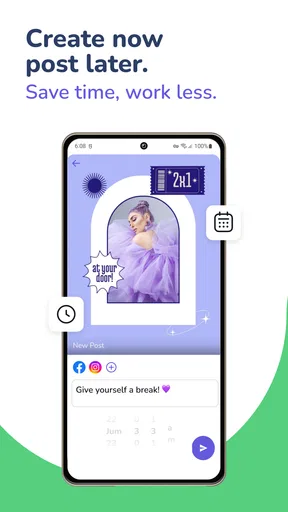
Sharing options are plentiful. Email, social media, even direct printing if you have a compatible printer. It’s all about making your life easier, and this app certainly delivers on that front.
Before relying on a design for a busy service, I’d check it in the format customers will actually use. A design that looks balanced on a phone can feel different on paper, so review the exported file at its intended size and check small text, spacing, and item alignment. If you’re sending it digitally, make sure the most important details remain legible on a smaller screen. This quick proofing step is more valuable than adding another decorative element.
Whether it earns a regular place in your workflow
I look at lasting value less by how much fun a design app is on day one and more by whether it makes the next menu update easier. For this one, the strongest habit is keeping a dependable base layout and returning only when your offers or prices change. That small routine can keep the work consistent without turning every update into a fresh design project.
Useful for recurring changes, with a little upkeep
The app makes the most sense for people who update a short menu or price list often enough to value a reusable design, but not so often that they need a full business-management system. A home baker taking seasonal orders, for instance, could prepare a neat list of cakes and prices, then revise the relevant items when offerings change. A café owner might use a menu design for a temporary drinks board or a printed handout. In both cases, the practical benefit is having a visual starting point ready when a change comes along.
To keep that benefit, I’d save a clean version as a base and make changes deliberately rather than repeatedly redesigning the whole page. That approach helps preserve familiar colors and layout, which customers can recognize, while reducing the chance of overlooking a detail during an update. It is also worth keeping a separate note of current prices and item names before editing. A design app can make the page attractive, but it is still the owner’s job to check that every detail is accurate.
For someone who updates prices only occasionally, the app can still be useful for producing a polished one-off menu. The trade-off is that any design tool adds a small maintenance task: when a price, product, or opening offer changes, the file needs to be revisited and checked. If all you need is a plain list that changes every day, a spreadsheet or simple document may be quicker to maintain. The visual finish is the reason to choose this app, not a replacement for keeping business information organized.
Where it fits beside familiar alternatives
Compared with a word processor, a template-based menu maker gives me a faster route to a composed-looking page without having to align every text box myself. A spreadsheet is often better for calculating prices or tracking a long catalogue, but it is not naturally designed to make a customer-facing menu feel inviting. A general graphic-design app can offer broader creative freedom, yet that freedom may mean more setup and more decisions before the first draft is ready. This app’s appeal is the narrower job it takes on: presenting menus and prices without asking the user to become a designer.
That narrower focus is also a limit. If the document needs complex tables, frequent data-driven updates, or precise brand controls across many different materials, I’d lean toward a spreadsheet or a more general design workflow. Likewise, a business with a large menu that changes constantly may find that manually reviewing every item is more important than template convenience. For a small, visually straightforward list, though, a ready-made layout is a useful middle ground between plain text and a full design project.
What can cause fatigue over time
The first burst of enjoyment comes from trying templates, colors, fonts, icons, and images. After that, the novelty naturally fades. If the menu stays stable, there may be little reason to open the app between occasional updates. That is not a serious flaw; it simply means its lasting value depends on whether you actually need customer-facing designs. A person who downloads it out of curiosity but has no menu or prices to publish may not build a lasting habit around it.
Another possible source of friction is spending too long choosing among visual options. When a design is already clear and readable, endless color and font changes can consume time without improving the customer’s experience. I’d set a simple goal before starting: decide what the document needs to communicate, choose a suitable template, and stop once the essential information is easy to read. That keeps the app serving the task rather than turning a quick update into an afternoon of polishing.
It is free to download, though in-app purchases range from $3.99 to $69.95 per item. I’d try the basic workflow first and decide whether the available design options meet my needs before paying for anything. That is a sensible approach for a small business testing whether a dedicated menu maker will become part of its routine. The app is rated for Everyone, and it has a 4.7 average from around 24,000 ratings, alongside more than 500,000 installs; those figures suggest a broad audience, but they don’t remove the need to judge whether its design-first workflow fits your own work.
A practical recommendation, not a tool for every job
All in all, the app is a solid choice for anyone looking to create professional menus and price lists without the hassle. The app is user-friendly, packed with features, and the results speak for themselves. Whether you’re a business owner or just someone who loves a bit of design, it’s worth giving this app a spin.
For long-term use, I’d recommend it most to independent sellers and small food businesses that need attractive menus or price lists but do not need a complex publishing system. It is less compelling for people who only want to manage figures, or for businesses whose information changes so rapidly that maintaining a designed page becomes tedious. The developer is Desygner Pty Ltd, and the current version is 5.4.7, with Android 5.0 as the minimum OS requirement. Those details make it straightforward to assess whether it suits your device, while the real decision is whether its visual templates save you enough effort to justify keeping another app in your routine.
So, if you’re ready to elevate your business's presentation game, I’d highly recommend downloading it. It’s like having a design studio in the palm of your hand.
Pros
- User-friendly interface for easy navigation.
- Wide variety of customizable templates.
- Supports multiple languages for versatility.
- Offline mode for on-the-go editing.
- Integrates seamlessly with social media.
Cons
- Limited design elements in free version.
- Occasional glitches in template loading.
- Ads can be intrusive in free version.
- Export options are limited without upgrade.
- No real-time collaboration features.
FAQs for Price List & Menu Maker
What features does the Price List & Menu Maker offer?
The Price List & Menu Maker app provides a variety of features designed to simplify the creation of professional menus and price lists. Users can choose from numerous templates, customize designs with different fonts and colors, and easily add images and logos. The app also supports exporting and sharing in multiple formats, making it ideal for businesses of all sizes.
Is the Price List & Menu Maker app user-friendly for beginners?
Yes, the Price List & Menu Maker app is designed with an intuitive interface that is easy to navigate, even for beginners. It offers step-by-step guidance and tutorials to help new users create stunning menus and price lists without any prior design experience. The drag-and-drop functionality further simplifies the process, ensuring a smooth user experience.
Are there any costs associated with using the Price List & Menu Maker?
The Price List & Menu Maker app offers a free version with basic features. However, for users who require advanced functionalities, such as premium templates, additional design tools, and ad-free usage, there is a subscription option available. Pricing details can be found within the app, and users can choose a plan that best suits their needs.
Can I use the Price List & Menu Maker offline?
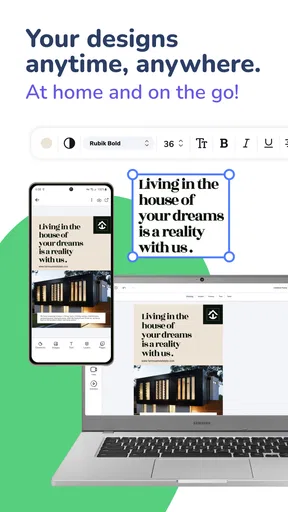
Yes, the Price List & Menu Maker app allows users to work offline. Once you've downloaded the necessary templates and assets, you can create and edit menus and price lists without an internet connection. This is particularly useful for users who need to work on the go or in areas with limited connectivity.
How can I share my completed menus or price lists?
Once you've finalized your menu or price list, the app provides several sharing options. You can export your designs in various formats, such as PDF or image files, and directly share them via email, social media, or messaging apps. This flexibility makes it easy to distribute your creations to customers or colleagues instantly.


